Every feature with its explanation, a real capture when there is one and the plan it comes with. No small print: what you see here is what your plan grants.
What findalo does
Six things your customer actually notices.
Intent search · from the Pro plan
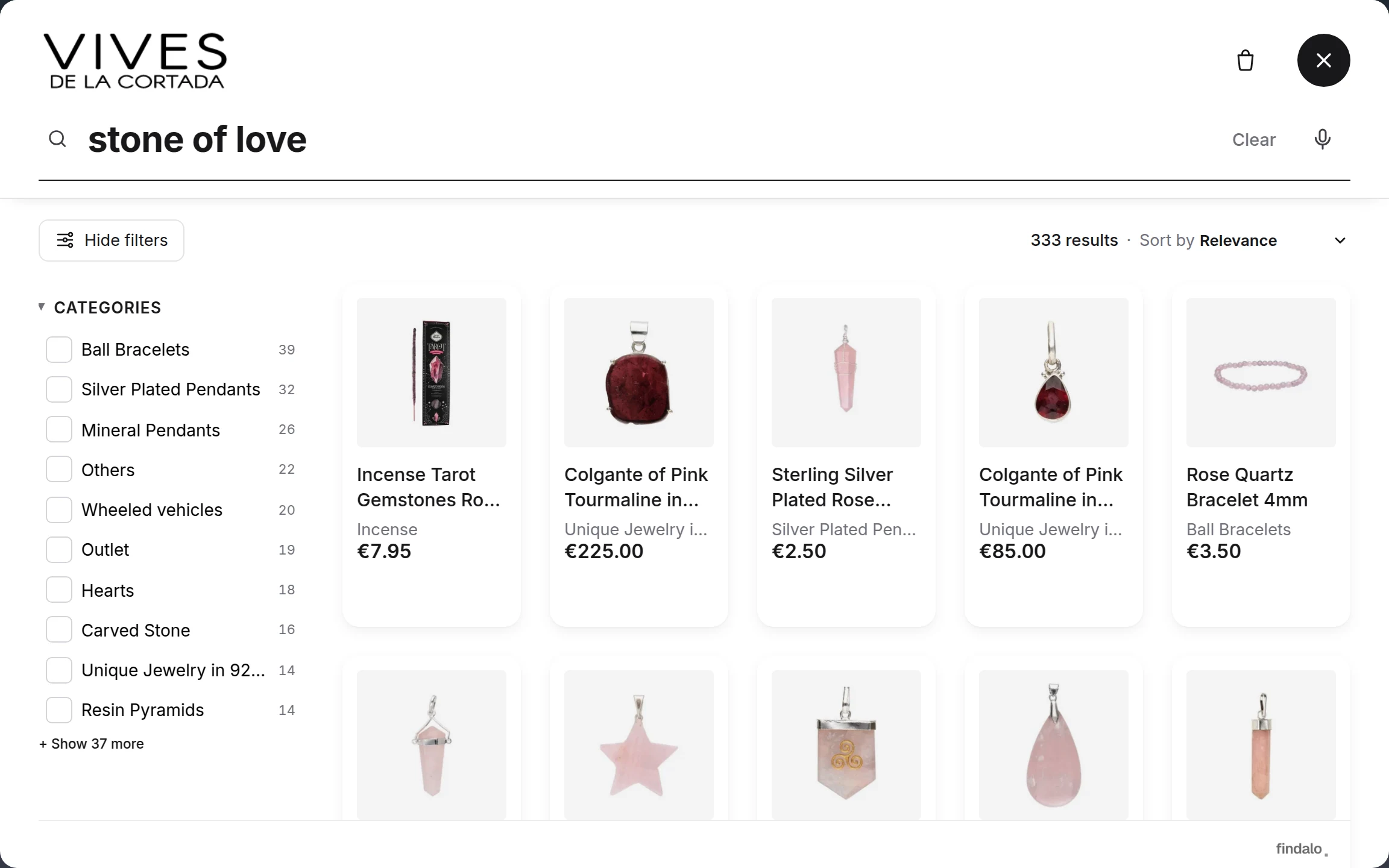
"the love stone" appears in no product sheet — but the search engine knows what each product gets asked for and surfaces the rose quartz.
It understands what you're looking for.
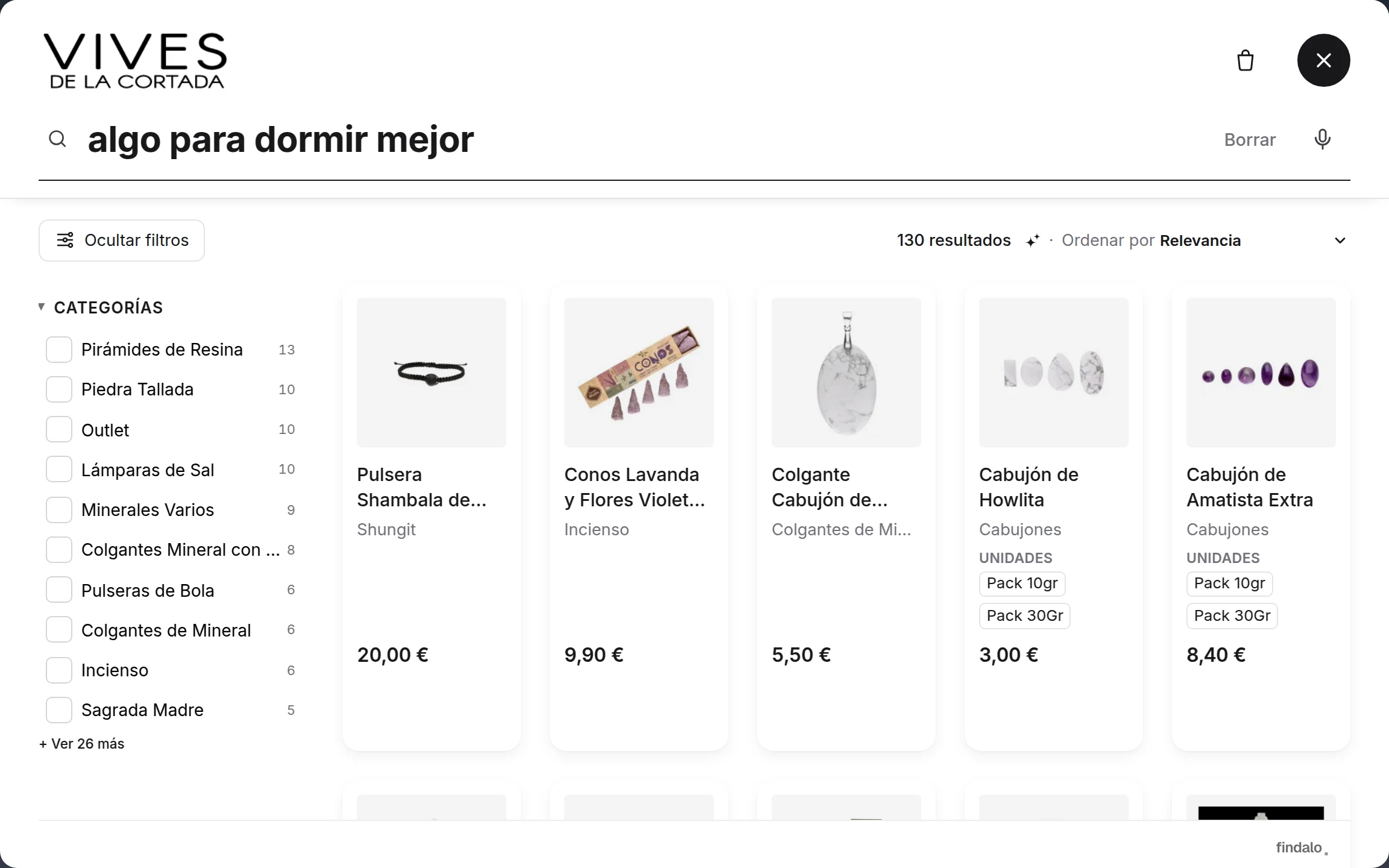
Semantic AI with intent search: the AI writes, for every product and in every language, the phrases a shopper would use to ask for it. "Something to sleep better" finds amethyst and lavender; "cream for dark circles", the eye contour. It tolerates typos and understands synonyms. And the panel shows you the rescued searches: the ones that would have ended in 0 results.
The search engine looks at each product photo and learns its color, shape and material. "Black stone" finds it even when the product sheet never says so. From Pro; you switch it on from your panel.
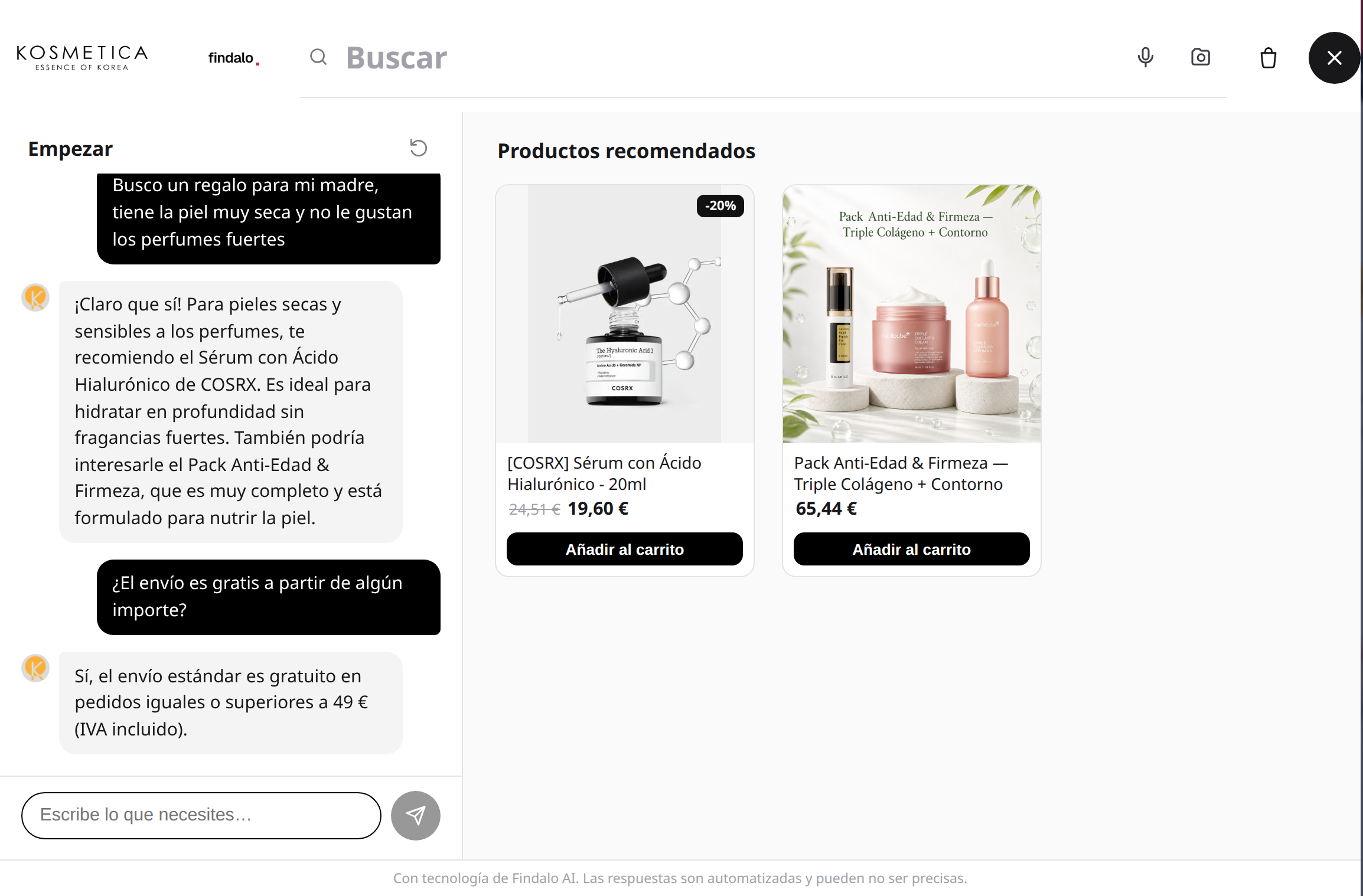
It asks, guides and recommends only products from your catalog, in the customer's language. And when there's no answer, it knows how to say "I don't know". From Business.
Semantic AI gets the concept even when the words don't match: "cream for dark circles" finds the eye contour. Intent search goes one step further: the AI writes, for every product and in every language, the phrases a shopper would use to ask for it. "The love stone" finds rose quartz; "something to sleep better", amethyst and lavender.
The panel shows you the rescued searches: the ones that would have ended in 0 results and the AI saved. So you know how much what used to be unfindable now sells.
Semantic AI search
Understands what the customer wants even when the words don't match: “cream for dark circles” finds the eye contour.
The AI writes, for every product and in every language, the phrases a shopper would use to ask for it: “the love stone” finds rose quartz; “something to sleep better” finds amethyst and lavender. The panel shows the rescued searches: the ones that would have returned 0 results.
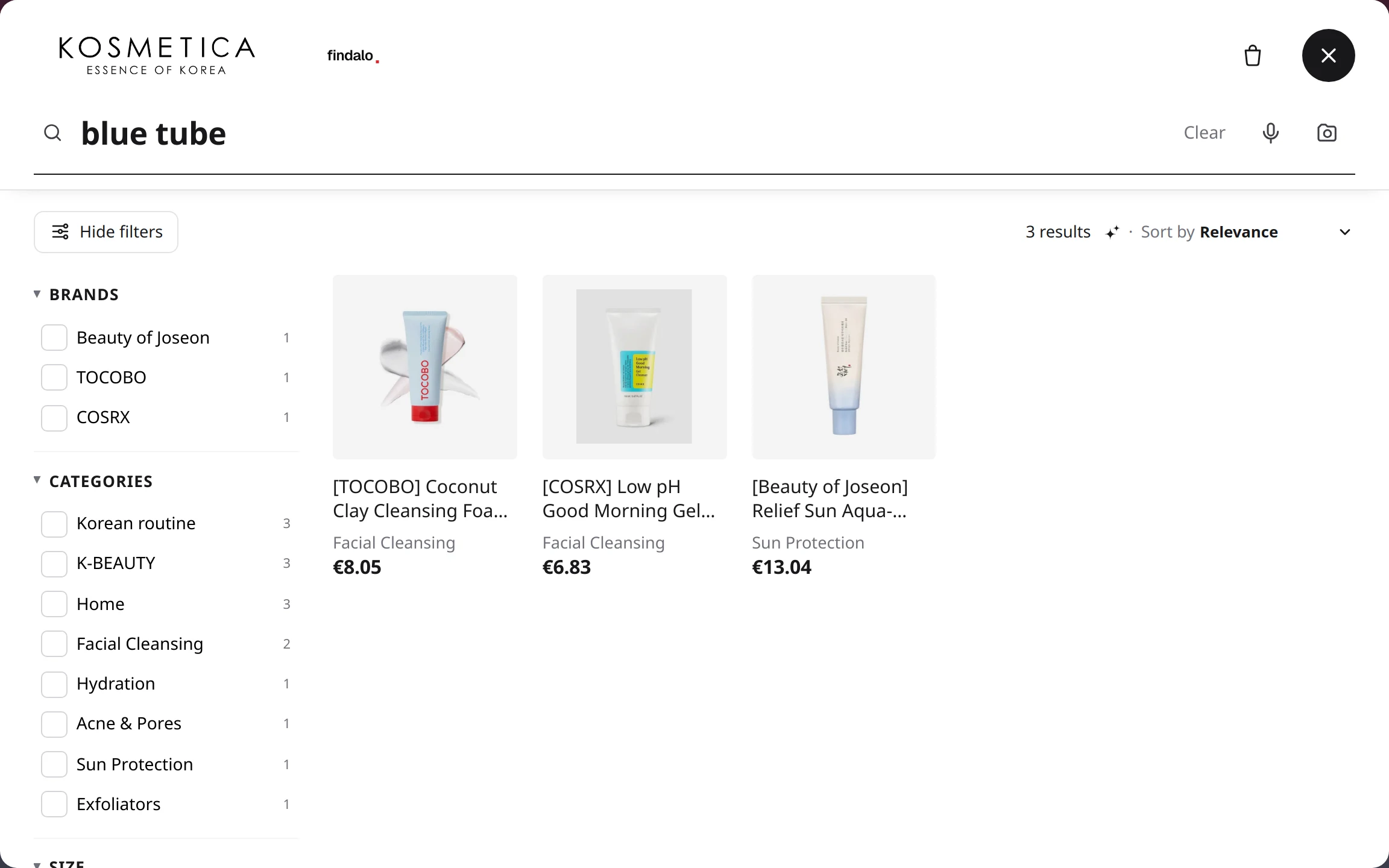
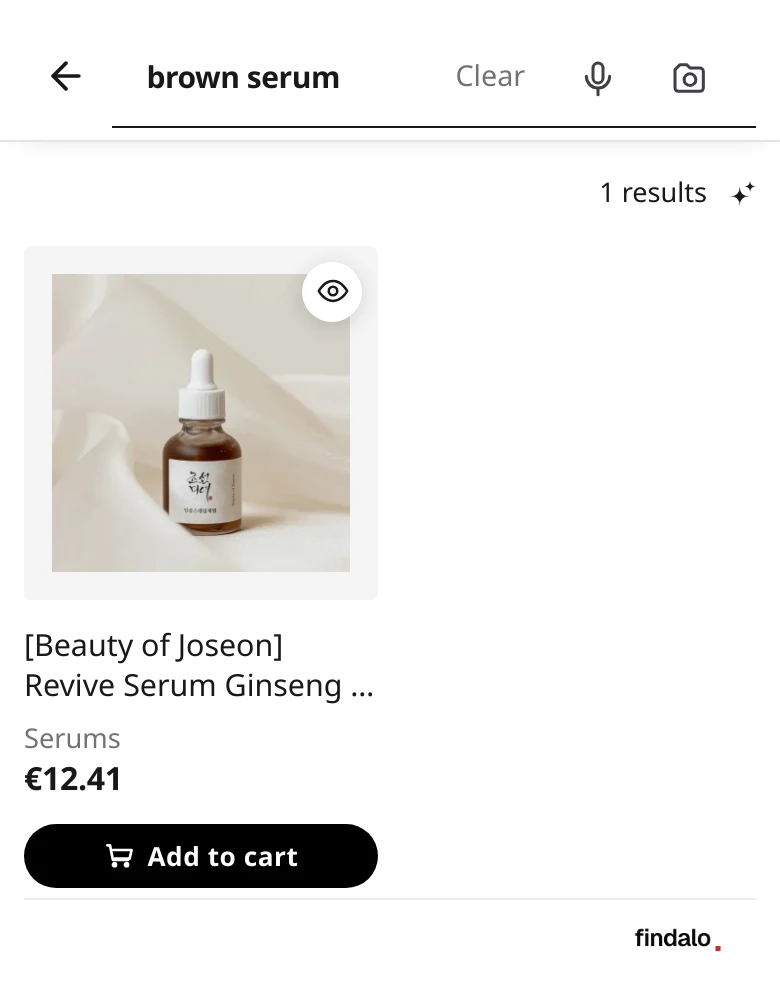
The search engine looks at each product photo and learns its color, shape and material. "Brown serum" or "black stone" find the product even when the product sheet never says so. Optionally, a Color filter in the results.
Don't confuse it with image search, where the shopper uploads a photo (from Business). Visual find is switched on by you from the panel and works on its own over your catalog.
Visual find
The search looks at each product photo and learns its color, shape and material: “brown serum” or “black stone” find it even when the product sheet never says so. Optional Color filter. Switched on from the panel.
A chat inside the search that asks, guides and recommends only products from your catalog, in the customer's language. It also answers about the status of an order.
When your catalog has no answer, it knows how to say "I don't know" instead of inventing a product.
Shopping assistant
AI chat that asks and guides to the right product, order status included.
Recommendations on the product page, in the cart and on the home page; a quiz that leads the undecided customer to the product; guided-refinement chips that suggest the next step; and a rail with best sellers, new arrivals and offers before typing anything.
Recommendations engine
Similar items on the product page, complementary in the cart, carousels on the home page.
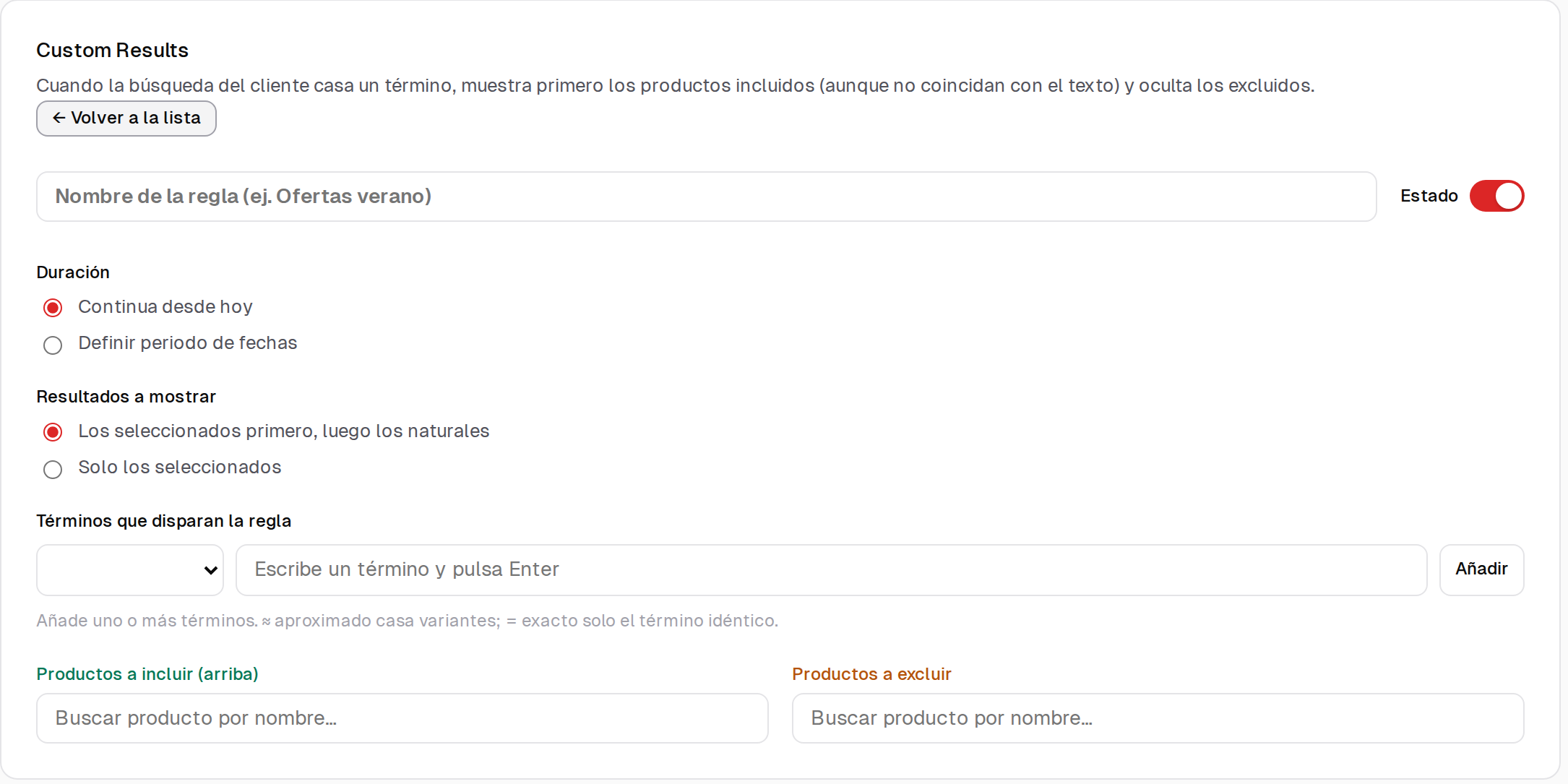
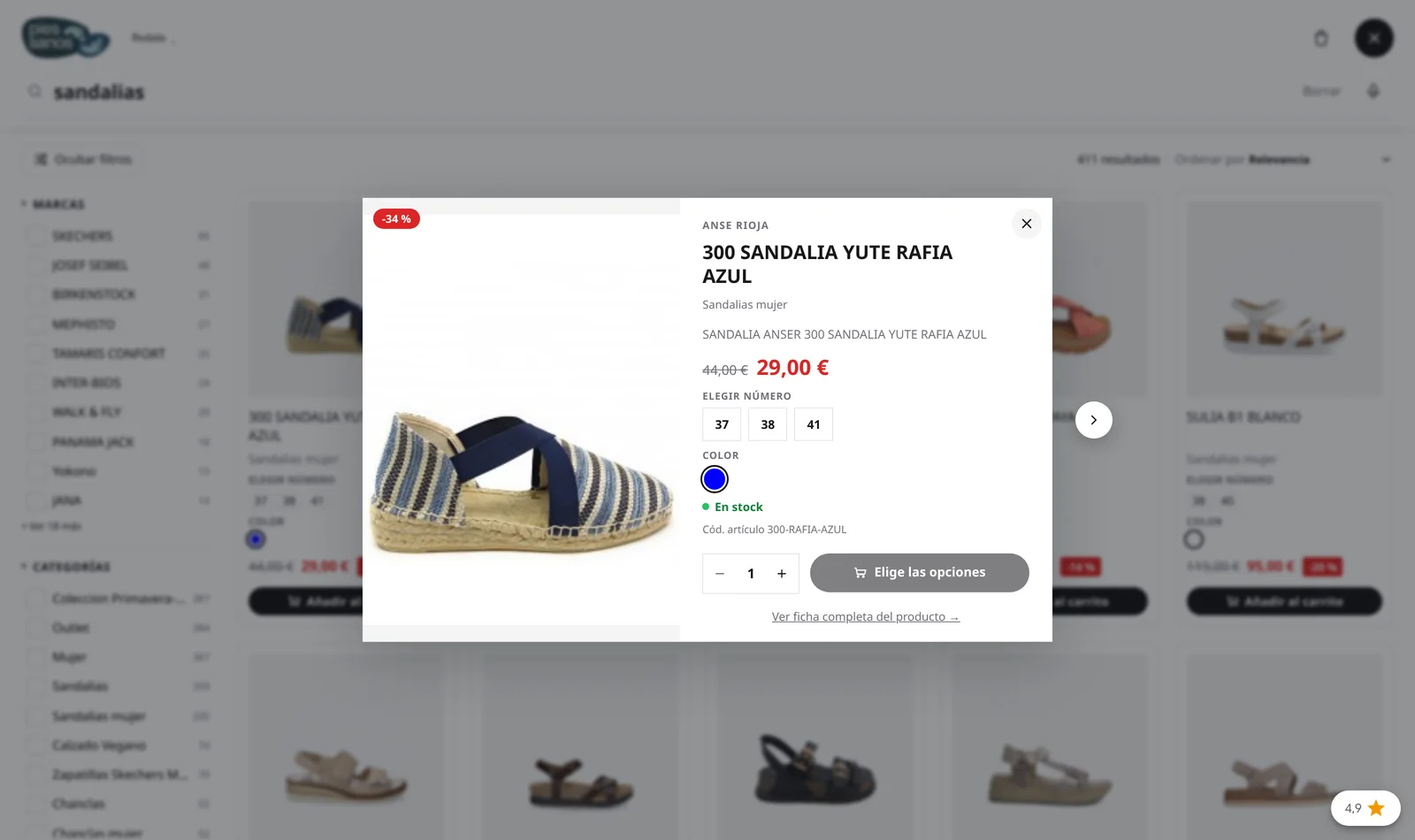
Banners per query or category, ordering rules that decide what rises, pinned results for a term, products hidden by rule, quick view with add to cart and extra fields on the product card.
Promotional banners in results
Your campaigns inside the search itself, per query or category.
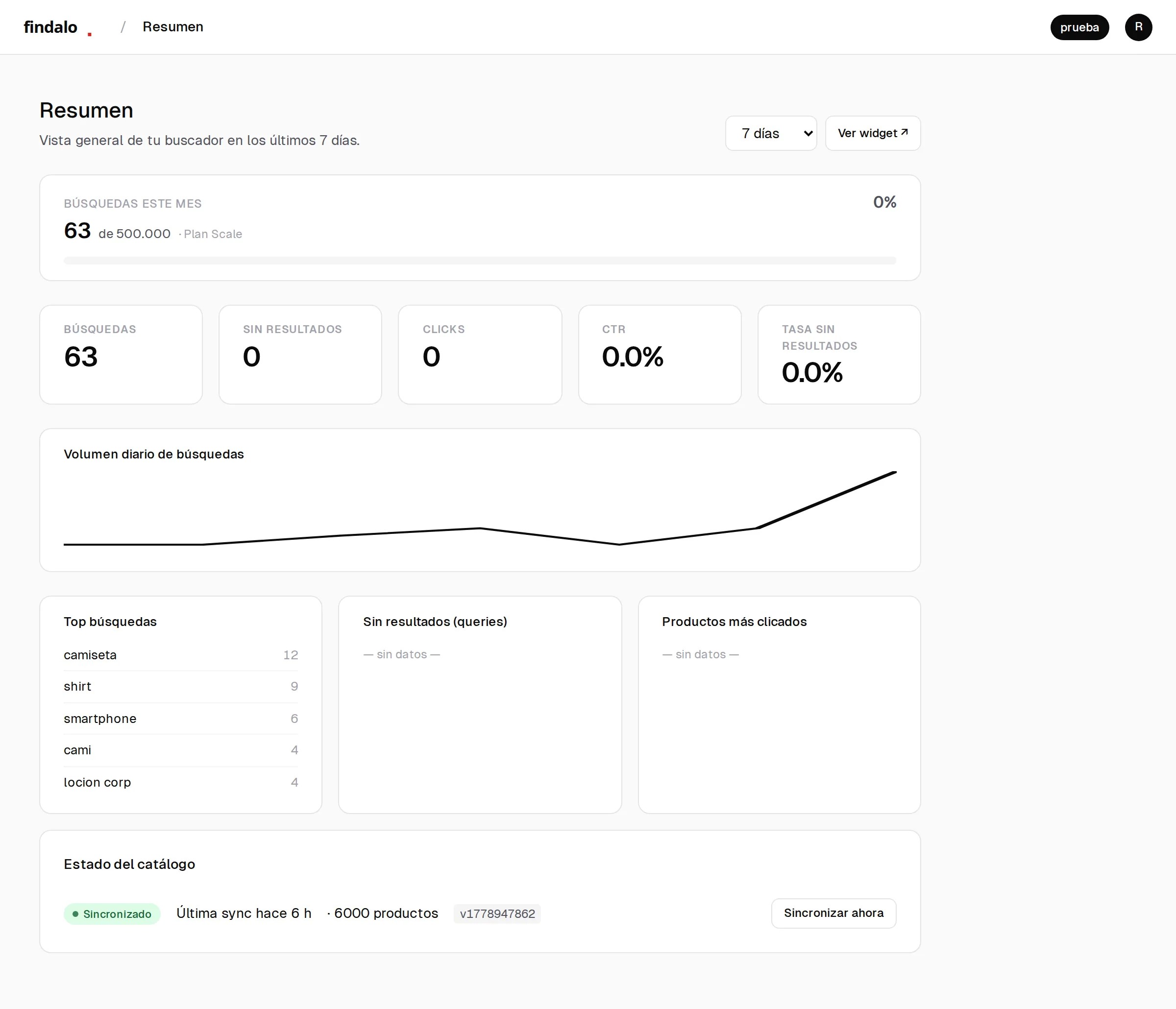
A panel with what gets searched, what gets clicked and what nobody finds. Searches with no results tell you what's missing from your catalog, in your customers' words. From Pro, revenue per search term and click-attributed conversions; and event forwarding to GA4 or Tag Manager.
Search analytics panel
What people search, what nobody finds and what gets clicked.
On every plan
Advanced analytics
Revenue per search term and click-attributed conversions.
The price is resolved for whoever is logged in: group rates, negotiated terms, VAT by country. And so is the catalog: what that customer can't buy doesn't show up. Search by reference, manufacturer code and EAN, typo-tolerant.
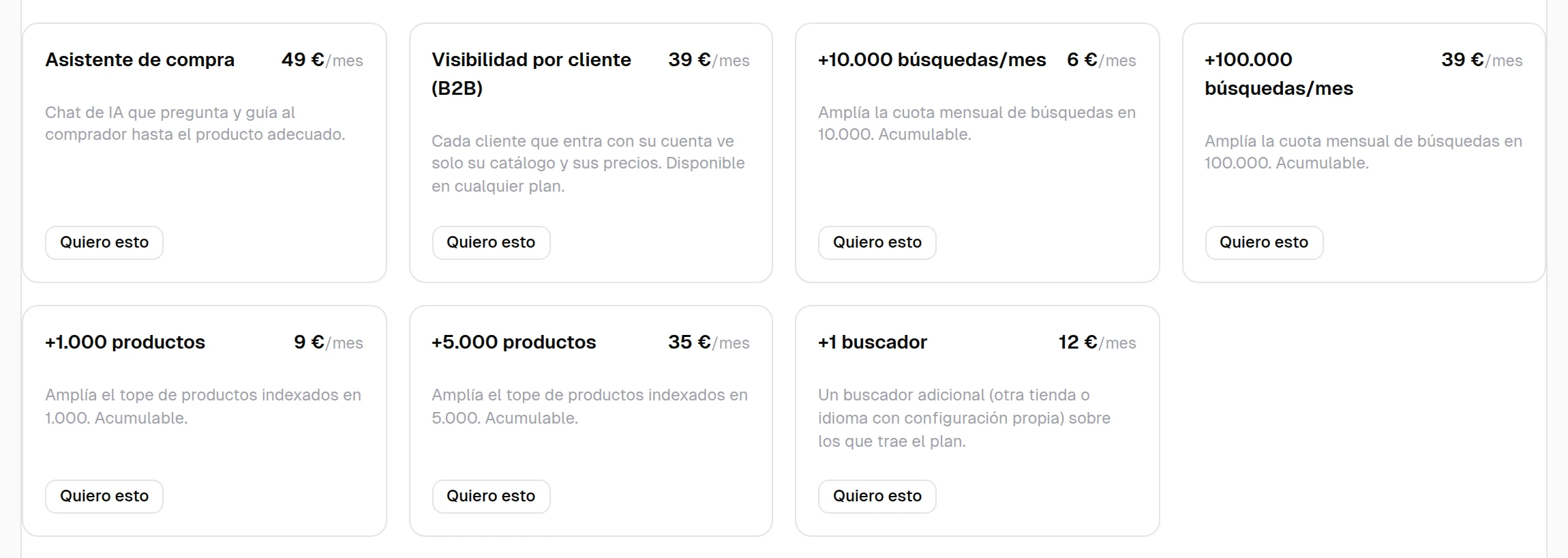
It's an extra on top of your plan. The internal search for your team (counter or warehouse, with barcodes) comes from Business.
B2B mode: each customer, their catalog and their price
Group pricing or negotiated rates, catalog based on who is logged in, search by reference and pinned results. Extra at €39/mo on any paid plan.
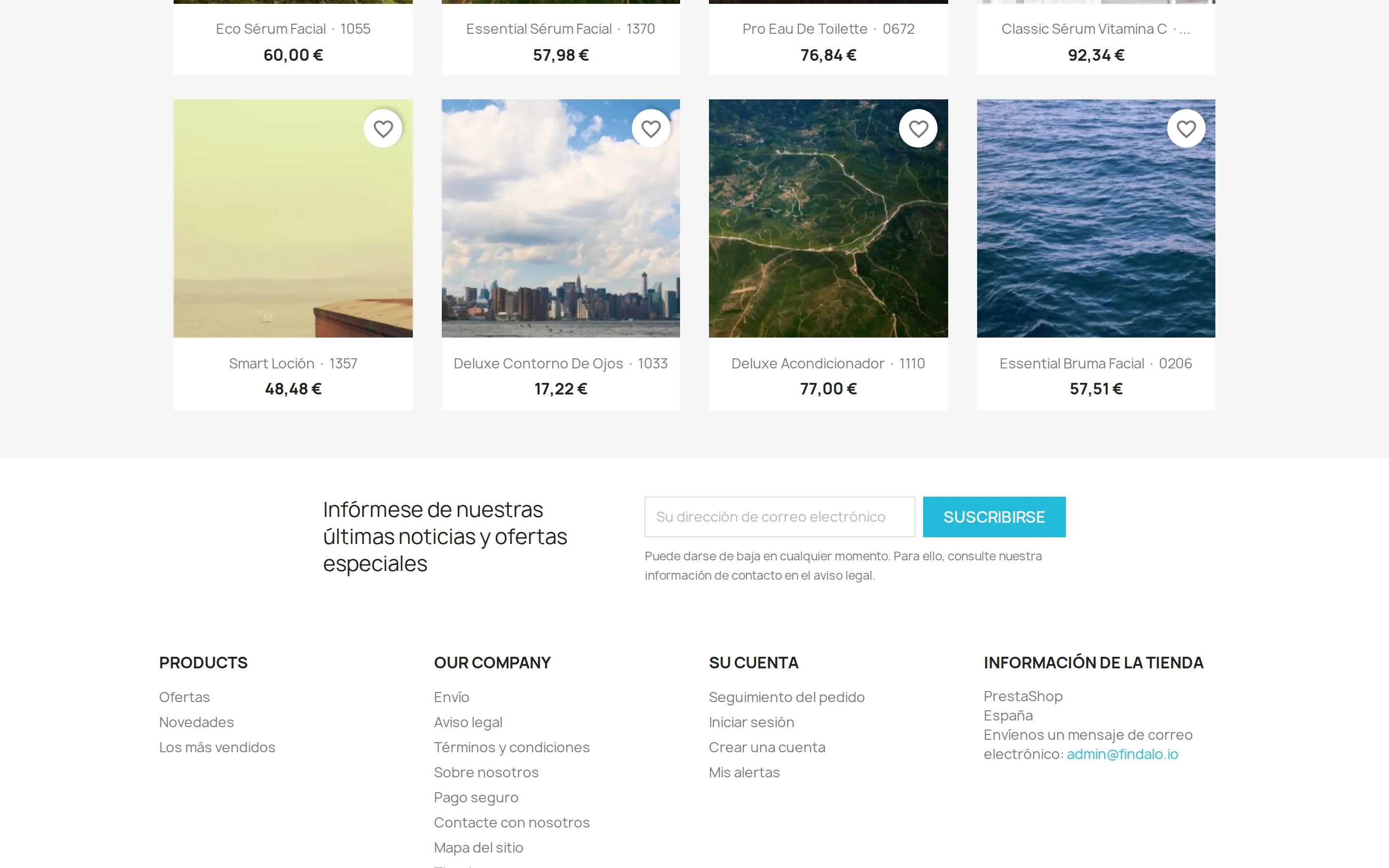
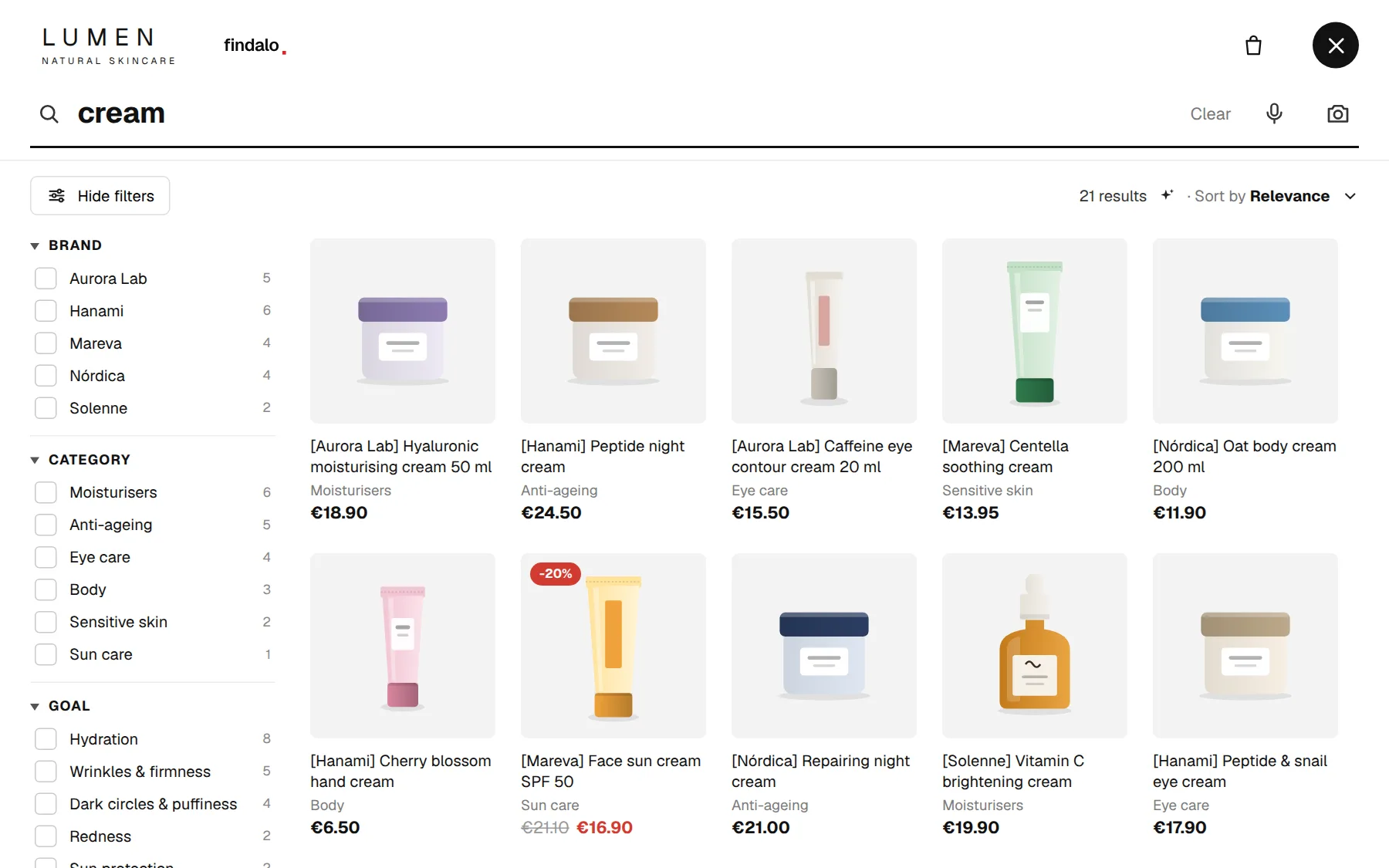
Instant results with filters that select themselves, typo tolerance and synonyms from the panel, multi-language without duplicating products, multi-store from one account, voice search, popular and recent searches. It runs itself: edit a product in your store and the search reflects it. With your brand: colors, logo and typography. Hosted in Europe.
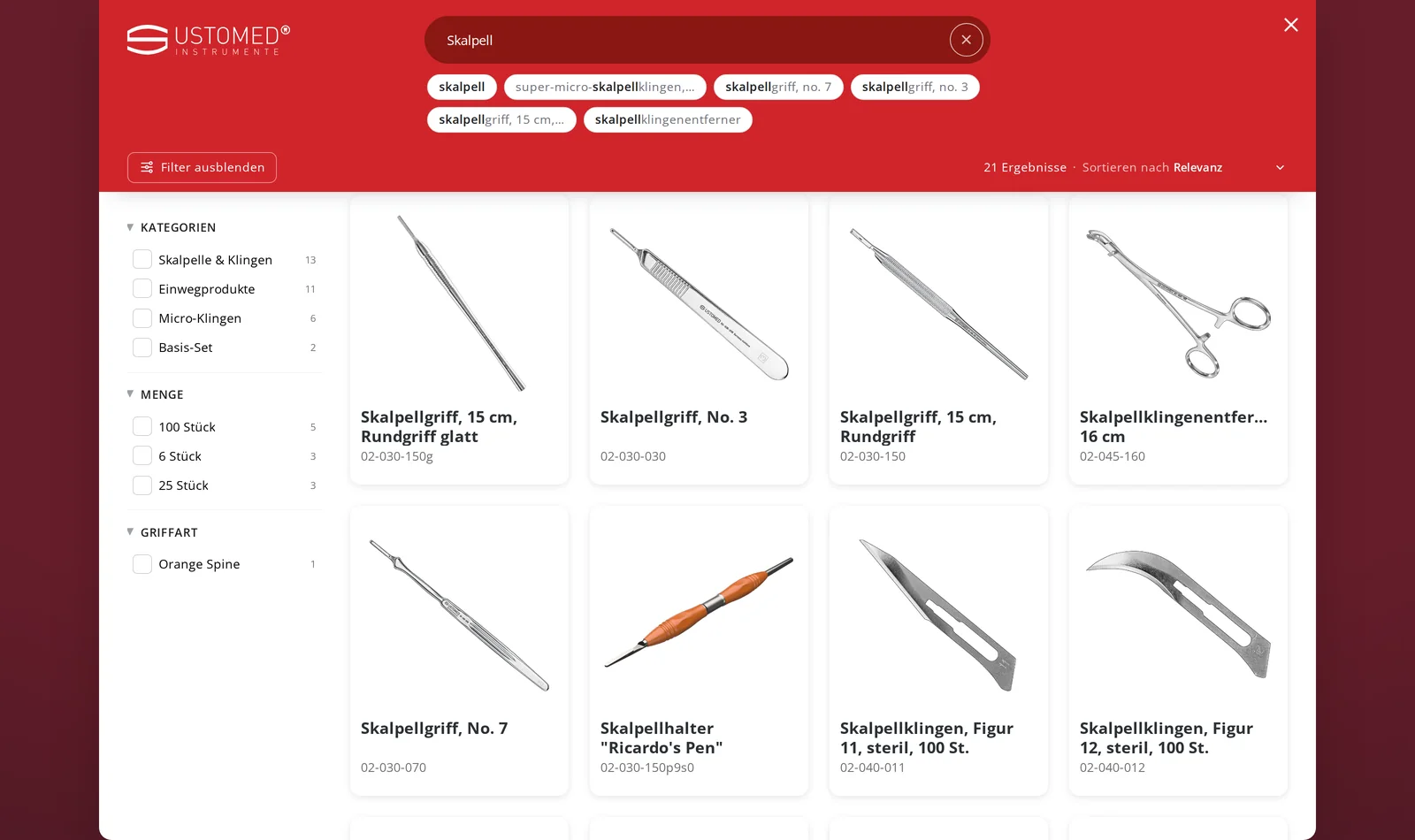
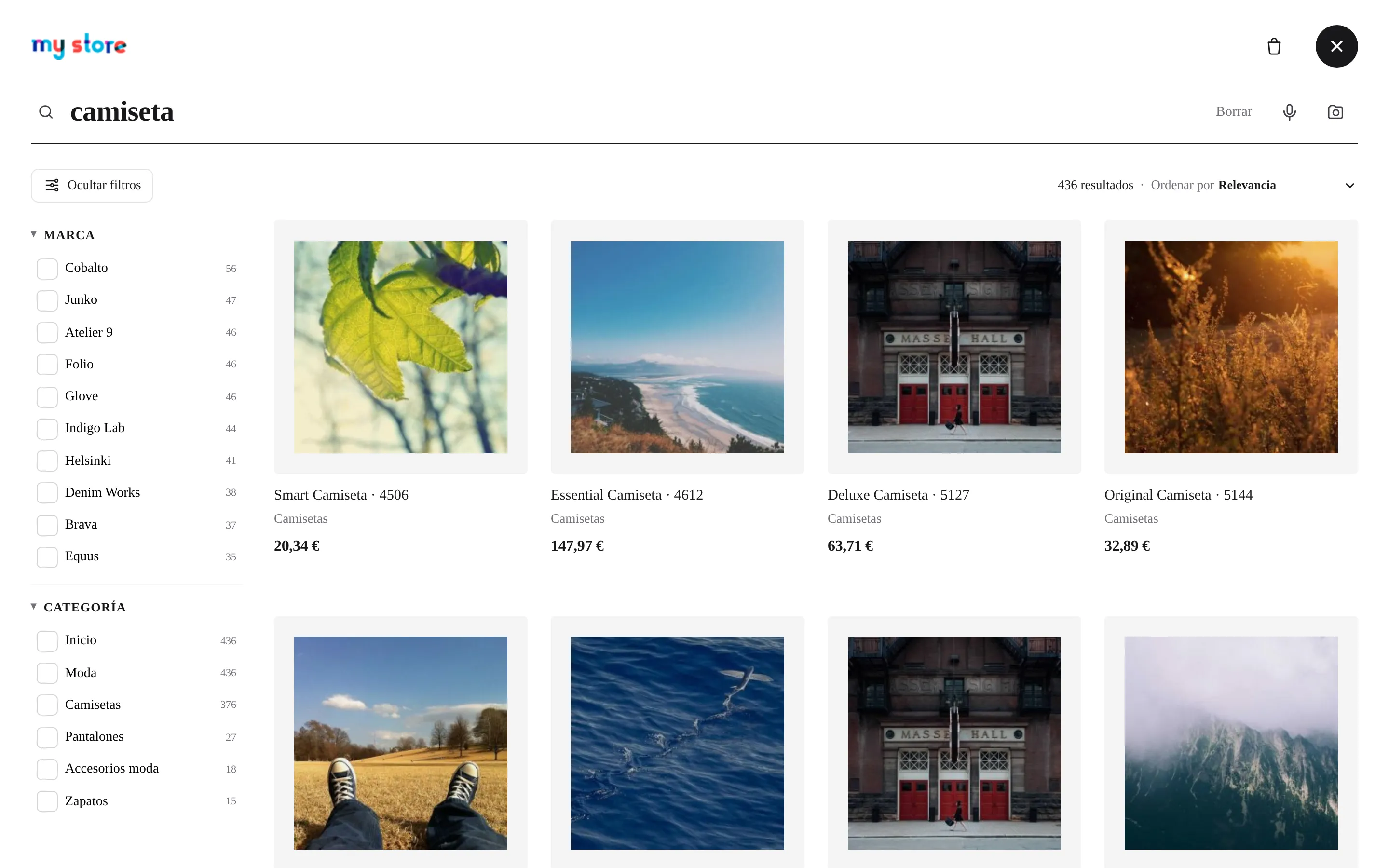
Instant search with filters and facets
Results as you type, with side filters generated automatically from brands, categories and attributes. Each filter can be checkboxes, a searchable dropdown or a from – to range slider for numeric values (weight, size, power…).
On every plan
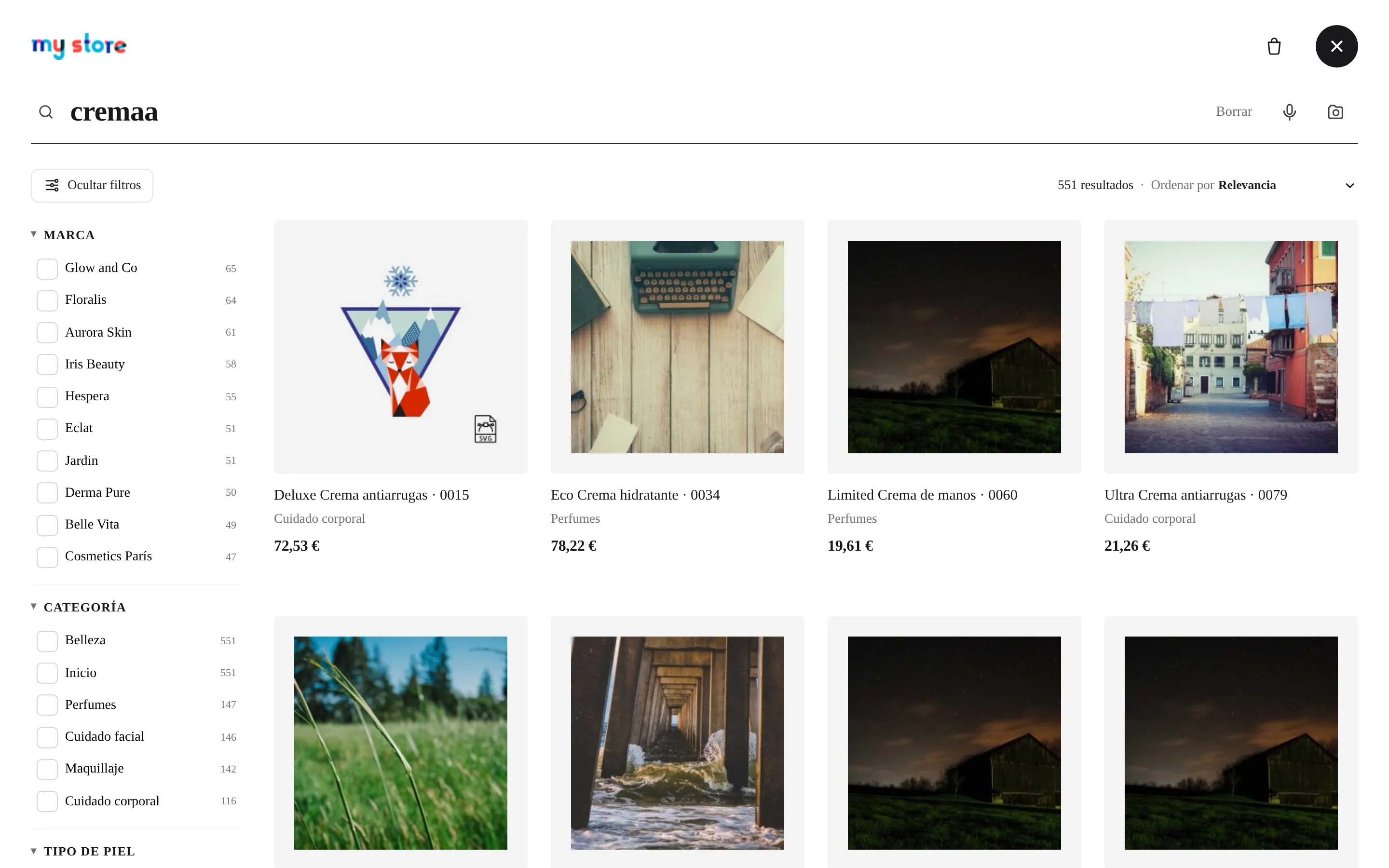
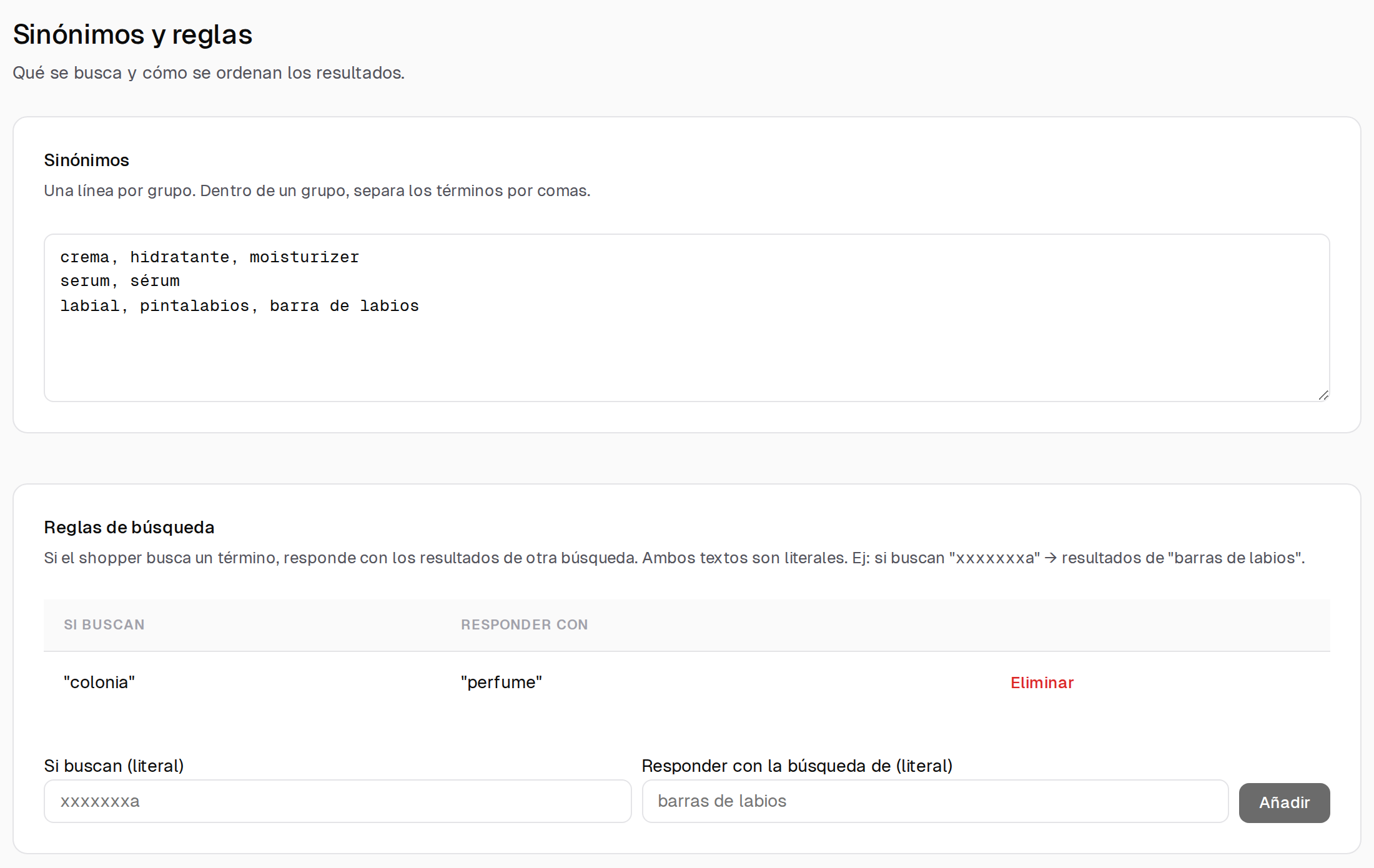
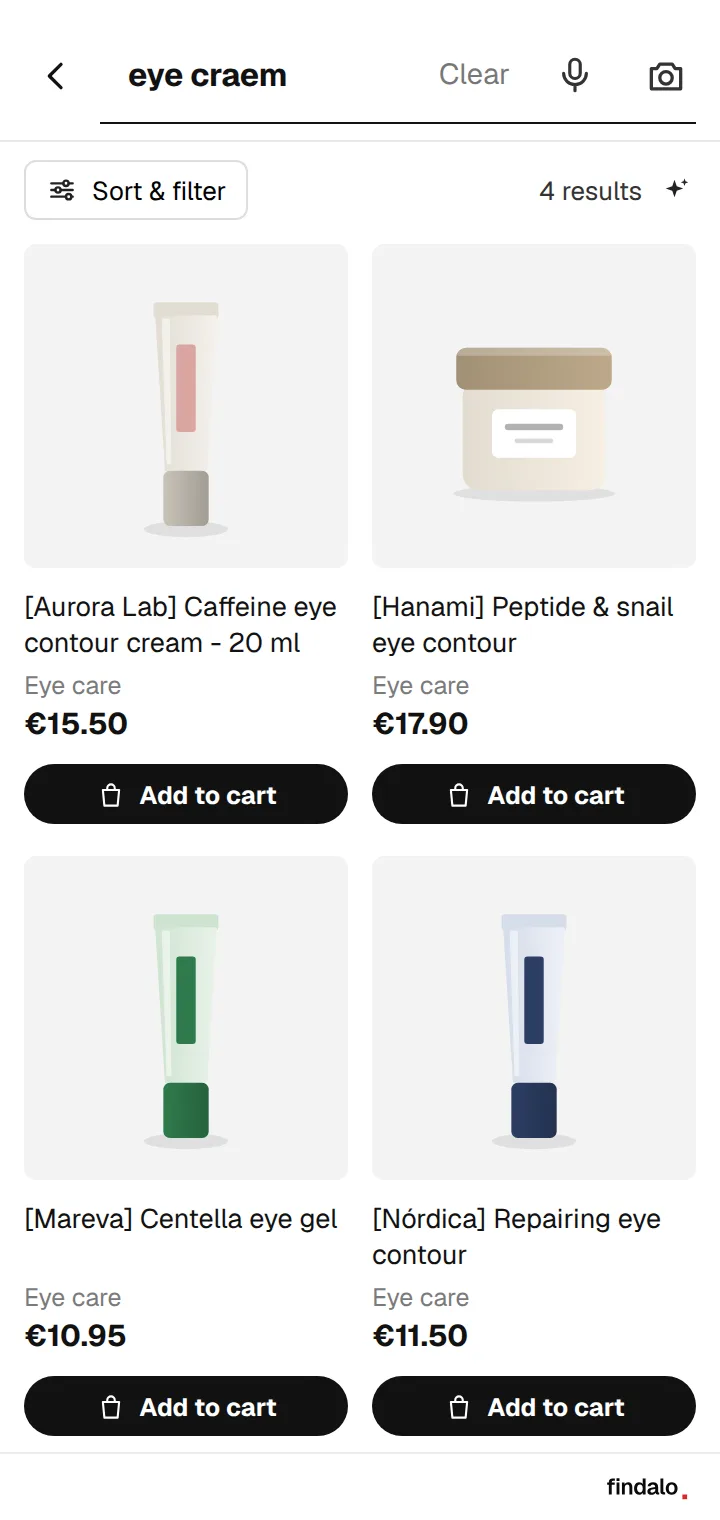
Typo tolerance and synonyms
Finds it even when the customer misspells; synonyms and redirects configurable from the panel.
On every plan
Filters that select themselves
If the customer types “red sneakers 42”, the search applies color and size for them.
On every plan
Variants and live stock
Sizes, colors and variants with their real availability.
On every plan
Popular, recent and suggestions
Top searches, the customer's latest searches and suggestions as they type. You choose what shows when the search opens: suggestions, the whole catalogue with filters, one category or just the search box.
On every plan
7 result layouts
Overlay, list, grid… you choose how results look without touching code.
On every plan
Automatic catalog sync
Official module for PrestaShop, WooCommerce, Magento and Shopware; connector for Shopify. Every price, stock or image change flows on its own.
On every plan
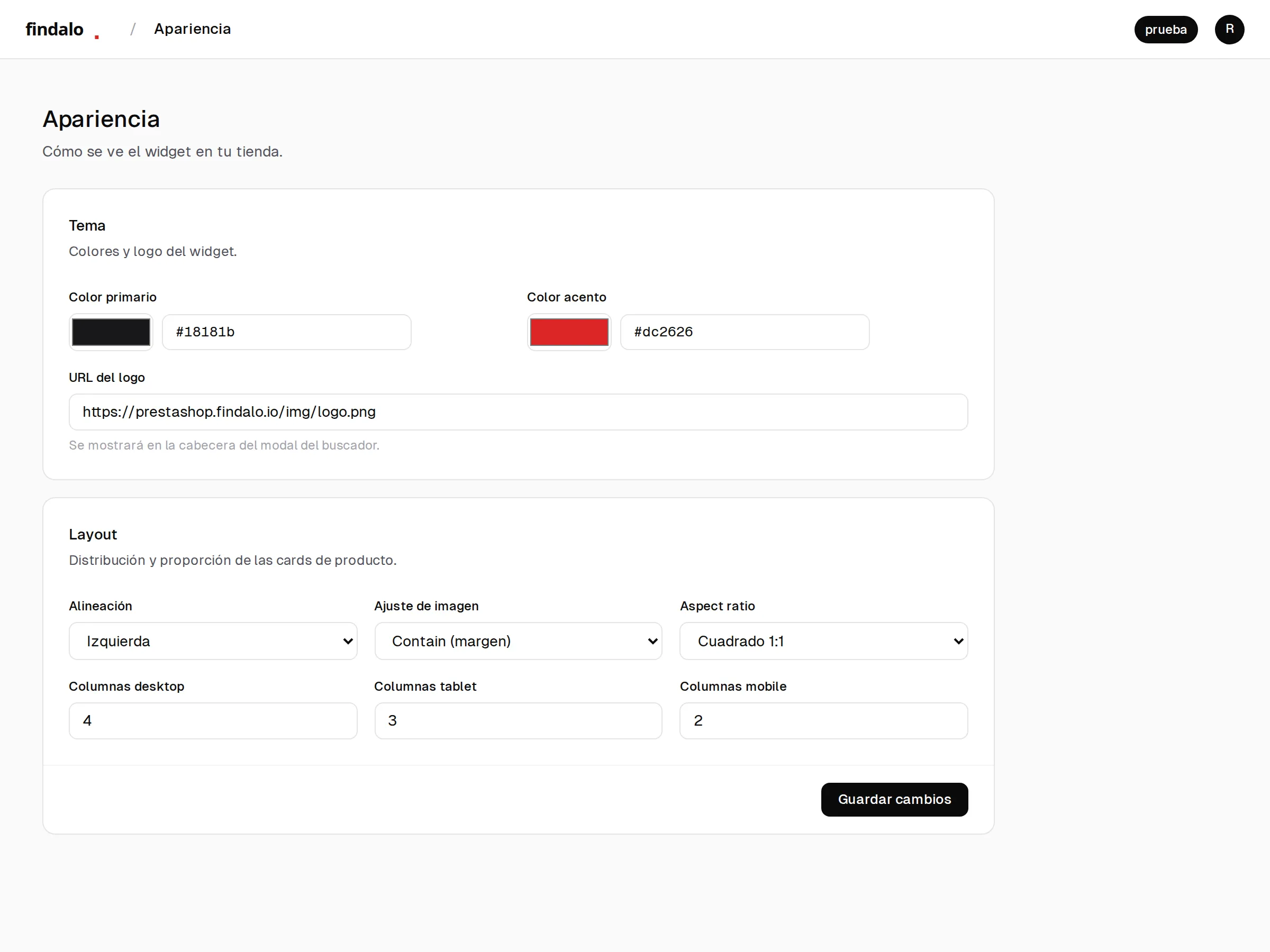
Your brand identity
Colors, logo and typography from the panel: the search looks like yours.
On every plan
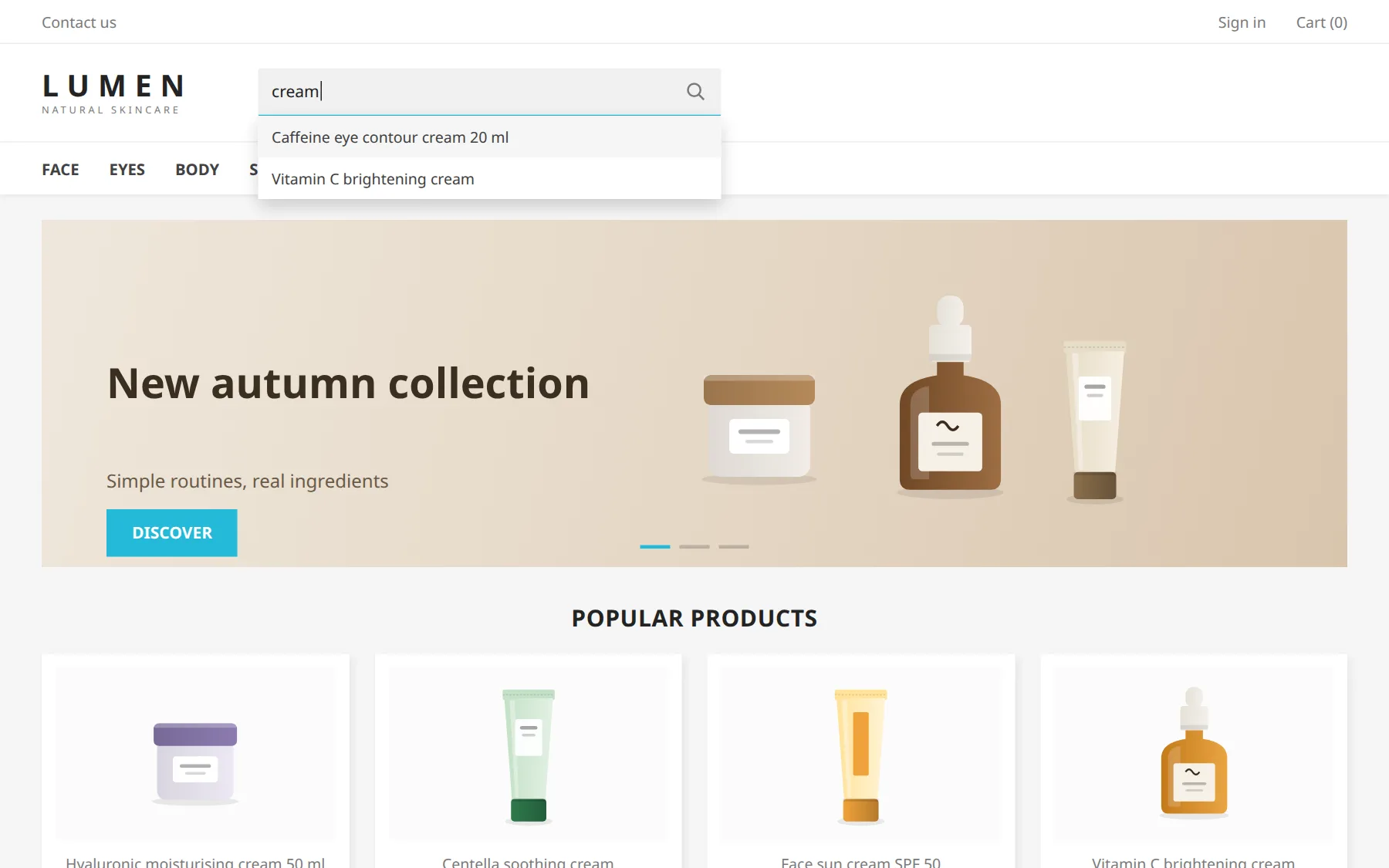
Plugs into your theme, no code
Hooks into the search bar you already have.
On every plan
Copy settings between search engines
Synonyms, design, banners and quizzes from one store to another.
On every plan
Image search
A photo from the phone and the search finds the product or the closest match.
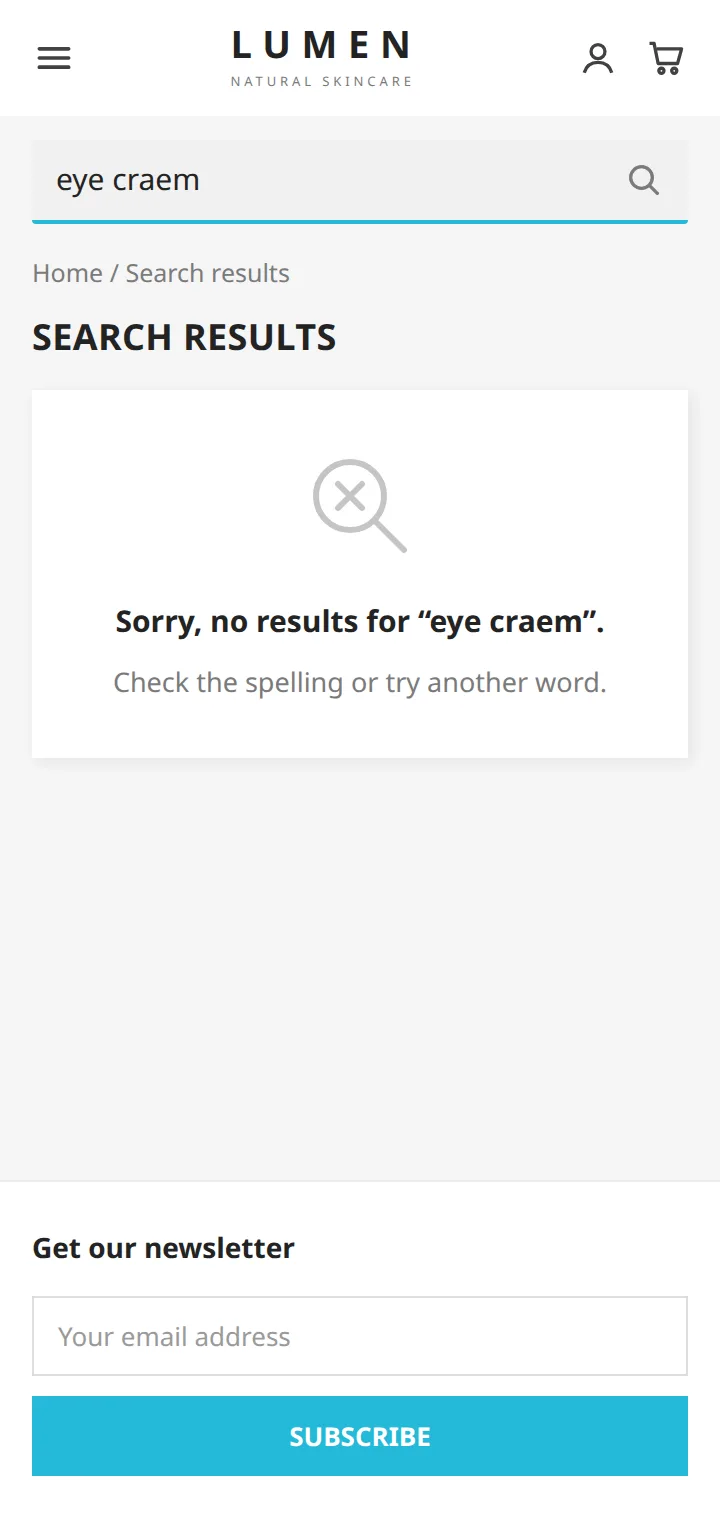
PrestaShop's native search loses customers the moment they can't find what they want. Findalo keeps them on the page with instant results, automatic filters and typo tolerance.
Before · Native PrestaShop
your-store.com · without findalo
Dropdown results with no image and no price
No sidebar filters for brand, category or attribute
"0 results" the second a shopper makes a typo
Multi-language forces you to duplicate products in your catalog
No. Your catalog and your searches are processed on European infrastructure. We're GDPR-compliant and we'll sign a DPA if you need one.
What happens if I go over my plan's limit?
We email you when you reach 80% of your monthly search quota so you can decide ahead of time. If you use it up, the search engine pauses until the next cycle (on the Free trial, the 1,000 searches cover the whole month and don't renew) — or keeps running without interruption if you upgrade or enable overage (paid plans). Products work the same transparent way: we index your catalog up to your plan's cap and, if it exceeds it, the excess stays out of the search index and we notify you by email. No surprise charges: you never pay for anything you didn't enable yourself.
Why charge by products and not by searches?
Running a search engine costs us in two places: keeping your catalog up to date in the index (every time you change a price, a stock level or an image) and serving every search your customers run. Both cost money, but the first one is the fixed cost of the service: the bigger your catalog, the more resources it takes to maintain it. Serving searches, on the other hand, is cheap because we serve them from infrastructure close to the user. That's why we use product count as the main pricing lever: it's predictable for you (you know how many you have) and it reflects our real cost. Every plan also ships with a generous monthly search allowance (25,000 on Starter, 100,000 on Pro, 500,000 on Business and custom on the tailored plan; the Free trial includes 1,000 searches in total). If you blow past it month after month, you move up a plan — but you'll never get hit with a per-search overage charge.
I run multiple stores — do I need a separate account for each one?
No. Free includes 1 store, Starter 2, Pro 5, Business 10 and the custom plan, unlimited stores. You manage all of them from a single account and a single panel. Each store keeps its own catalog, filters and look independently.
Does the Findalo logo show in my search?
Yes, the search always carries a small Findalo logo. From the Starter plan you can ask support (hola@findalo.io) to remove it and the search runs 100% under your brand. On the Free plan it cannot be removed.
Is AI included in every plan?
Semantic AI search and recommendations kick in from the Pro plan (€49/mo). On Starter (€15/mo) you get classic search with typo tolerance, synonyms and filters. Image search is unlocked from Business (€149/mo).
How do I cancel?
One click from your panel, under "Plan & billing". Cancellation takes effect at the end of your current billing period. No phone calls, no forms, no retention scripts.
Can I migrate from another SaaS search engine?
Yes — and it's the most common migration we see. You run Findalo in parallel on your store, compare it against your current one for a few days, and only then turn the other off. We help with the migration if you ask — most stores come to us from another SaaS search tool or from their platform's native search.
How does it compare on price to other SaaS search engines?
A mid-sized store on other SaaS search engines typically pays €149/mo and up for features that Findalo bundles into Pro at €49/mo (semantic AI, recommendations, product hiding). We go after European SMBs instead of enterprise — and we pass the savings of not chasing huge contracts straight to the price. If we update our pricing in the future, we give you 30 days' notice and you can cancel with no penalty — it never affects a period you have already paid for.
Do I need a developer to install it?
For PrestaShop, WooCommerce, Magento and Shopware there's an official module or plugin: upload the ZIP in your back office (or in the WordPress admin, for Woo) and you're done. For Shopify there's a connector. For stores without a platform, all you need is a public URL for your CSV or product feed. If you get stuck, we'll sort it out by chat or email.
What information do you see on your end?
Your store's public catalog and the anonymized searches your customers run (not tied to individuals). We don't access orders, your customers' personal data or private pricing.
Demo with your catalogue
See it with your own products
Leave your name, email and your store's website. We set up a test search engine with your public catalogue and email you the link within one or two working days.
Free and with no commitment
Nothing to install, no card
Try it with real searches from your store
Let's start with your email.
Nothing is charged during the trial. We'll send your panel access to this email.
We use first- and third-party cookies to understand how findalo.io is browsed, to improve the experience and to know whether our ads bring in signups. We don't sell information or run remarketing.
Tracking is off by default. Your call: accept to help us improve the site, or stick with essentials only.
Full details at /privacy. You can change your choice anytime from "Manage cookies" in the footer.